
Built seamlessly for
UUnreal Engine
Automate The Manual Work
Focus on game design and creativity. We handle the repetitive QA reporting.
Frictionless Reporting
Don't break immersion. Testers and players submit feedback directly from an in-game overlay. No alt-tabbing, no external forms.
Zero-Context-Loss
End the "need more info" loop. Every submission automatically includes build targets, engine versions, exact device specs, and relevant logs.
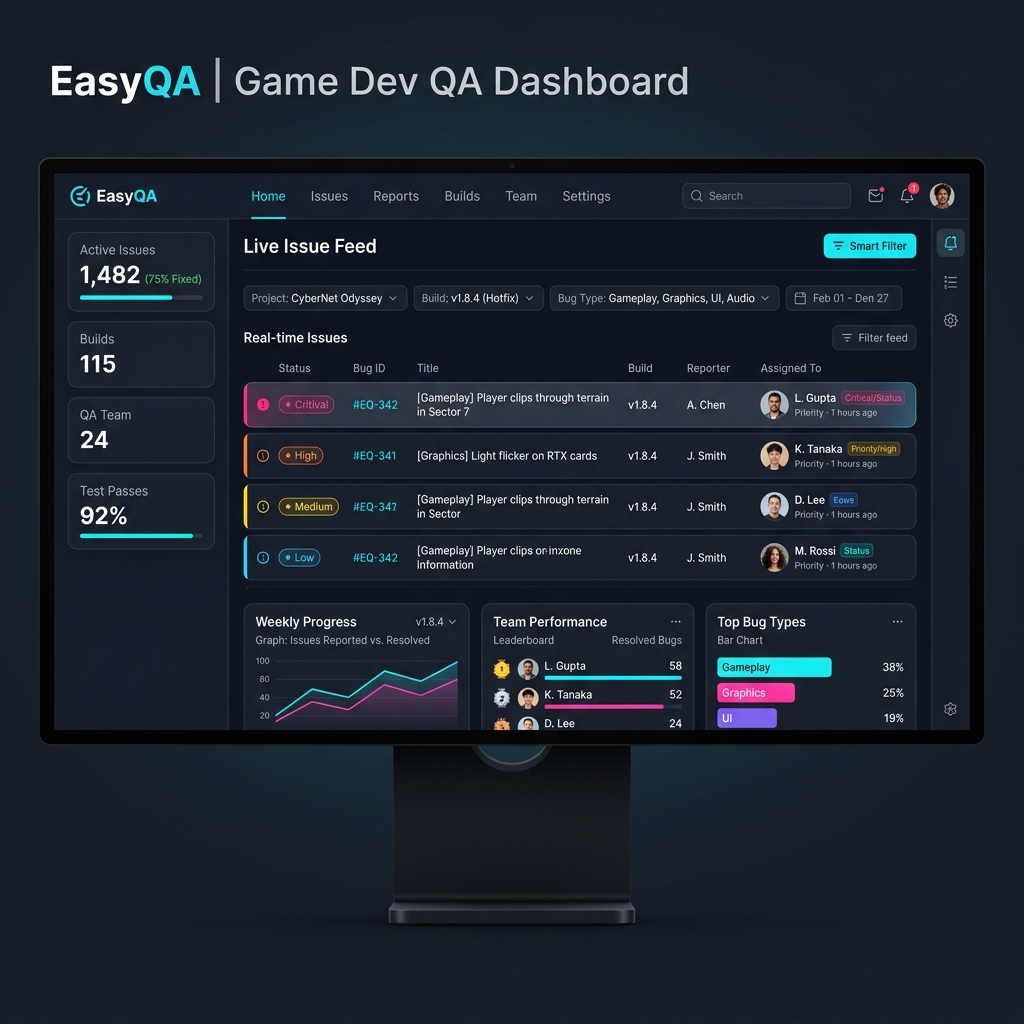
Actionable Dashboard
Triage in seconds. Your team gets beautifully formatted tickets on the web dashboard, ready to be assigned and resolved instantly.
Low Friction, High Impact
Get up and running in minutes with our native Unreal Engine plugin.
Install the Plugin
Drop the EasyQA plugin into your Unreal Engine project's plugin folder.
Enter details
Enter product and environment keys, configure settings.
Gather Feedback Effortlessly
Press F11 in-game to start receiving detailed, context-rich bug reports directly to your dashboard.
Your Ultimate QA Dashboard
✓ Real-time Overview
See new feedback instantly as it's submitted by your playtesters.
✓ Smart Filtering
Filter by build version, feedback type (Bug, Suggestion, Crash), or environment.
✓ Team Assignment
Turn feedback into tasks and assign them directly to your team members.
Risk-Free Pricing Plans
Choose the right plan based on your required features and data retention.
Core
Perfect for solo developers validating their game.
- ✓ 1 Team Member
- ✓ Single Environment
- ✓ 100 Feedback/mo
- ✓ Standard Context Data
Velocity
Built for small, agile teams moving fast.
- ✓ Up to 5 Team Members
- ✓ Single Environment
- ✓ 1,000 Feedback/mo
- ✓ Adv. Filtering & Tagging
Apex
Everything a growing studio needs for full production.
- ✓ Up to 20 Team Members
- ✓ Unlimited Environments
- ✓ Unlimited Submissions
- ✓ Full Telemetry & Crash Logs
Nexus
For massive projects needing ultimate control and integration.
- ✓ Unlimited Team Members
- ✓ Custom Integrations
- ✓ Dedicated Self-Hosting
- ✓ Custom SLAs
EasyQA saved our programmers hours of digging through log files. The automated context gathering is an absolute game-changer for our QA pipeline.
Frequently Asked Questions
Does this impact game performance?
+Does it work in shipping builds, or just development?
+What engines do you support?
+Is my game's data secure?
+Do my players need to create an EasyQA account to report a bug?
+Resources & Insights
Learn best practices for game QA and feedback pipelines.
The Cost of Context Switching
Learn how much time is truly lost when developers have to leave the engine to track down bugs.
Structure an Efficient QA Pipeline
A step-by-step guide to setting up your Unreal Engine projects for automated bug tracking.
Why Player Feedback in Alpha is Critical
Discover why capturing player sentiment early can make or break your game's launch.
Ready to ship a better experience?
Join the studios using EasyQA to transform their backend workflows.
Start Your Free Trial